From what was seen on site to closed.
Raise an observation where you saw it on the survey, show it with photos or the map, hand it to the person putting it right, and follow it through your own review steps until somebody accepts it. Every step, comment and photo stays with it.
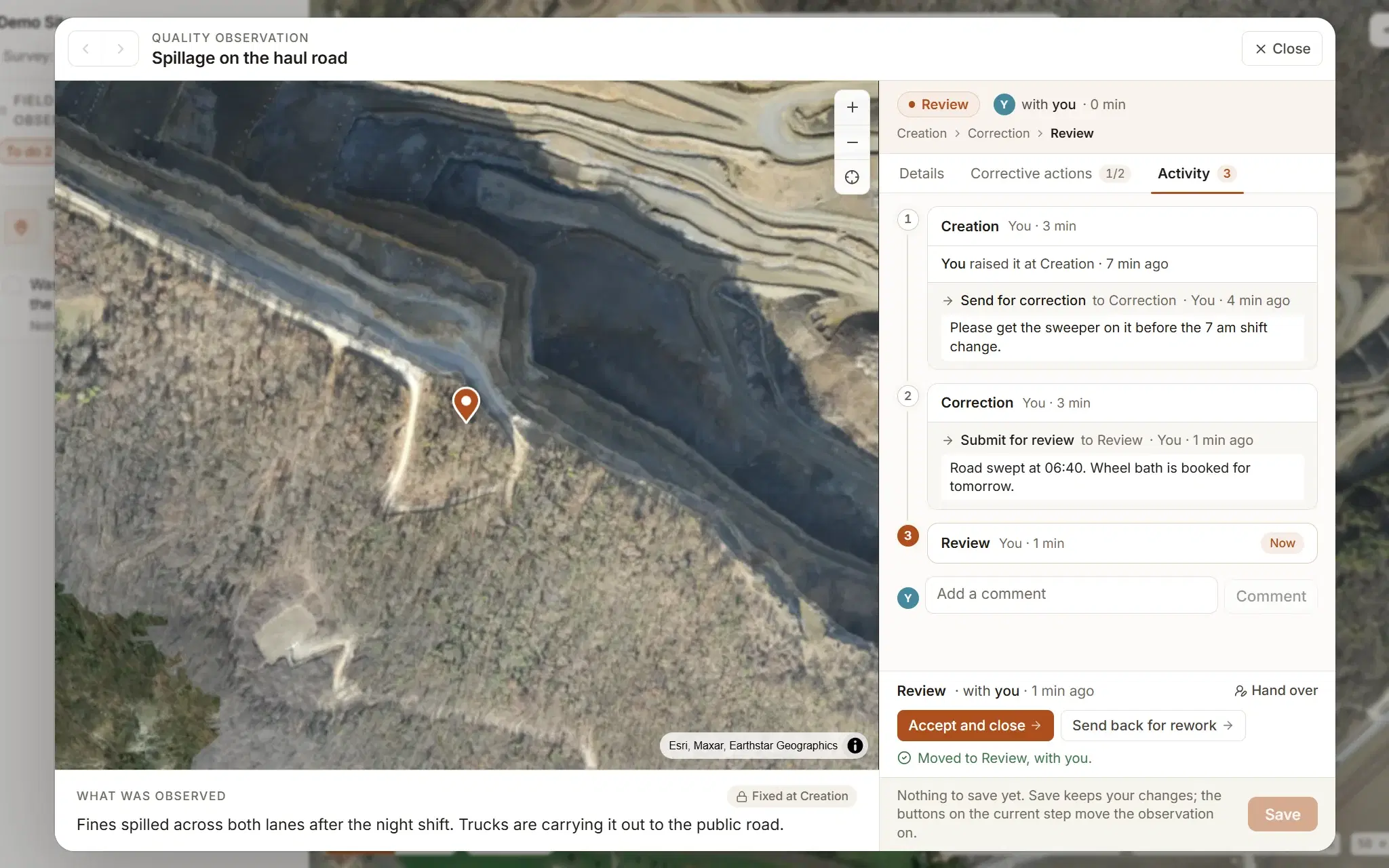
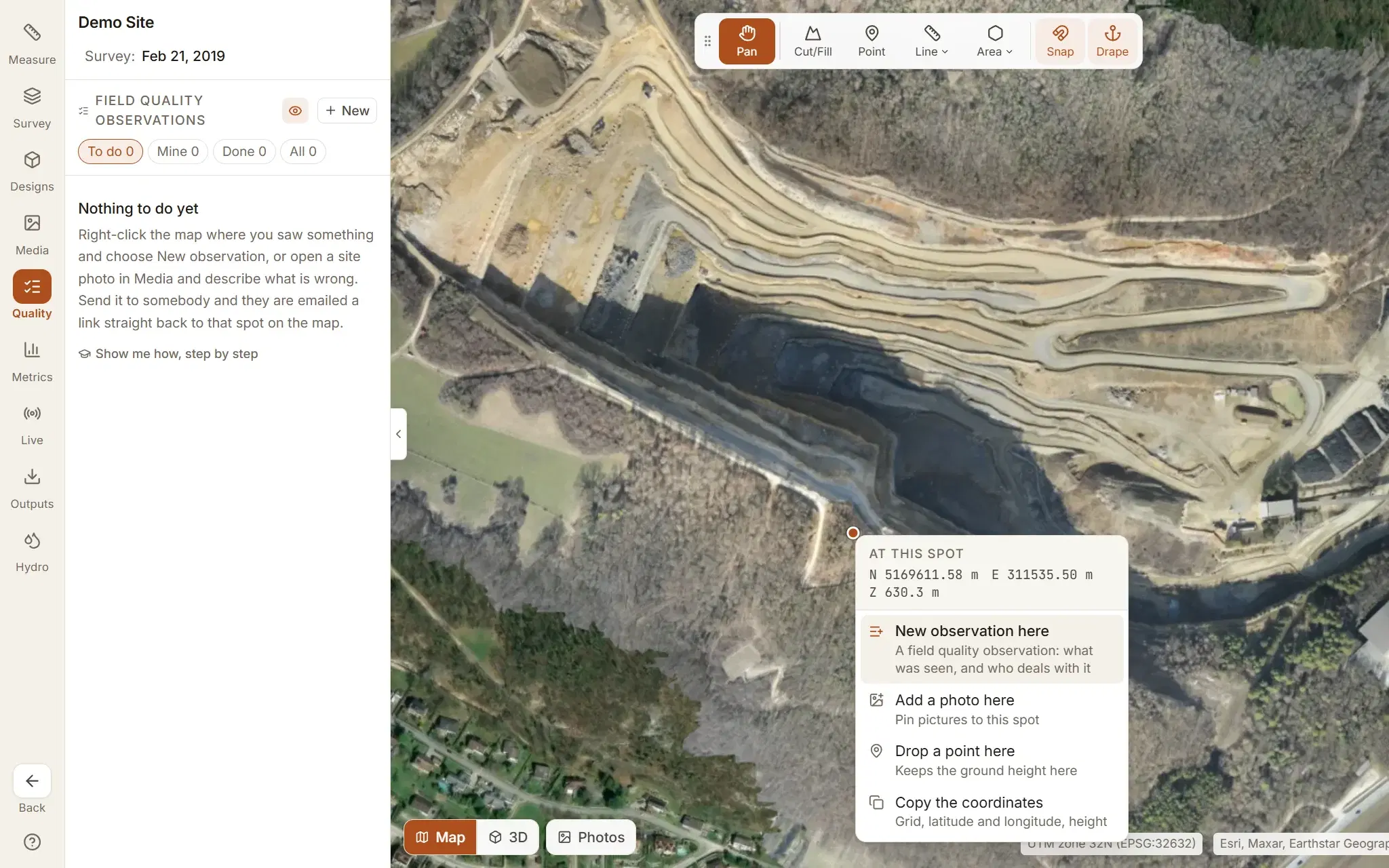
Raise it where you saw it.
On the drone survey of the site, where everybody already looks. No separate app to open and no list to keep in a spreadsheet on the side.
- Right-click the survey at the spot and choose New observation here. The coordinates are filled in.
- Or start from a site photo: if the camera recorded where it stood, the observation pins itself.
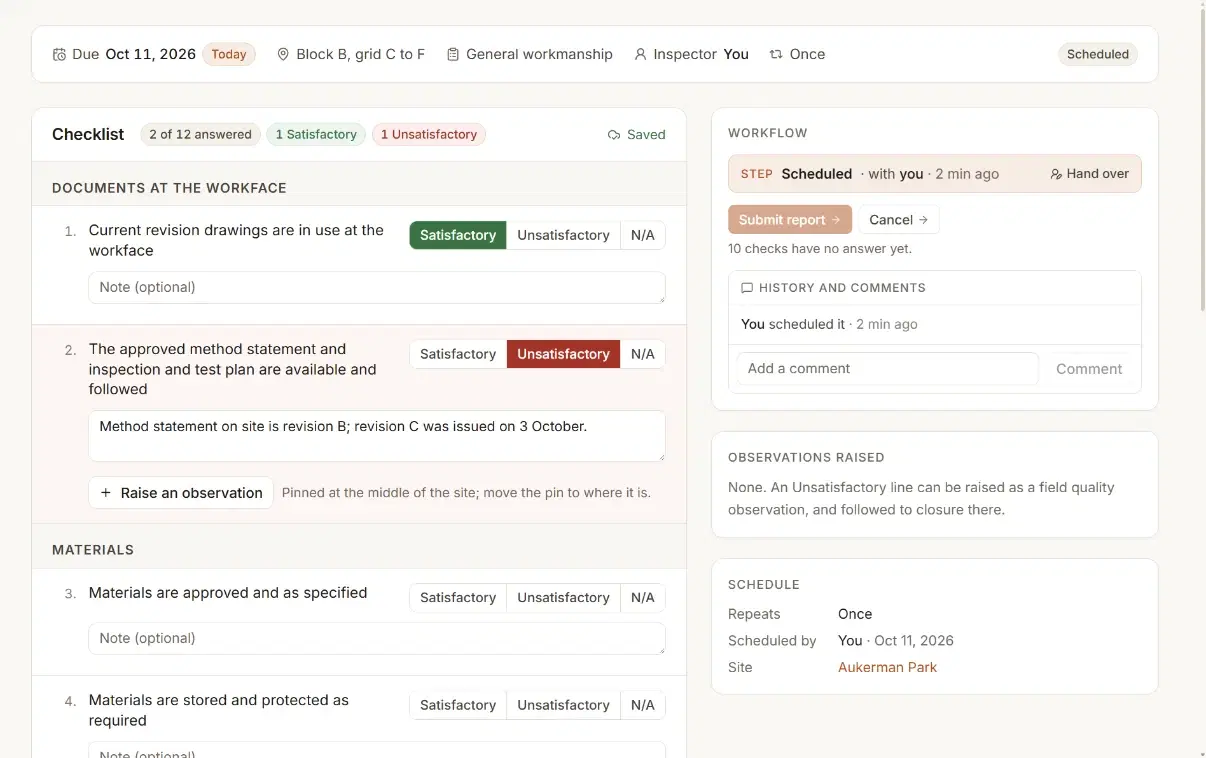
- Or from a failed line on a quality surveillance, so a planned check and what it found stay joined up.
Show what you saw: a photo, several, or the map.
An observation needs something to look at. Take a photo on a phone or tablet, choose several pictures at once, or, with no photo to hand, frame the spot on the map and save that view.
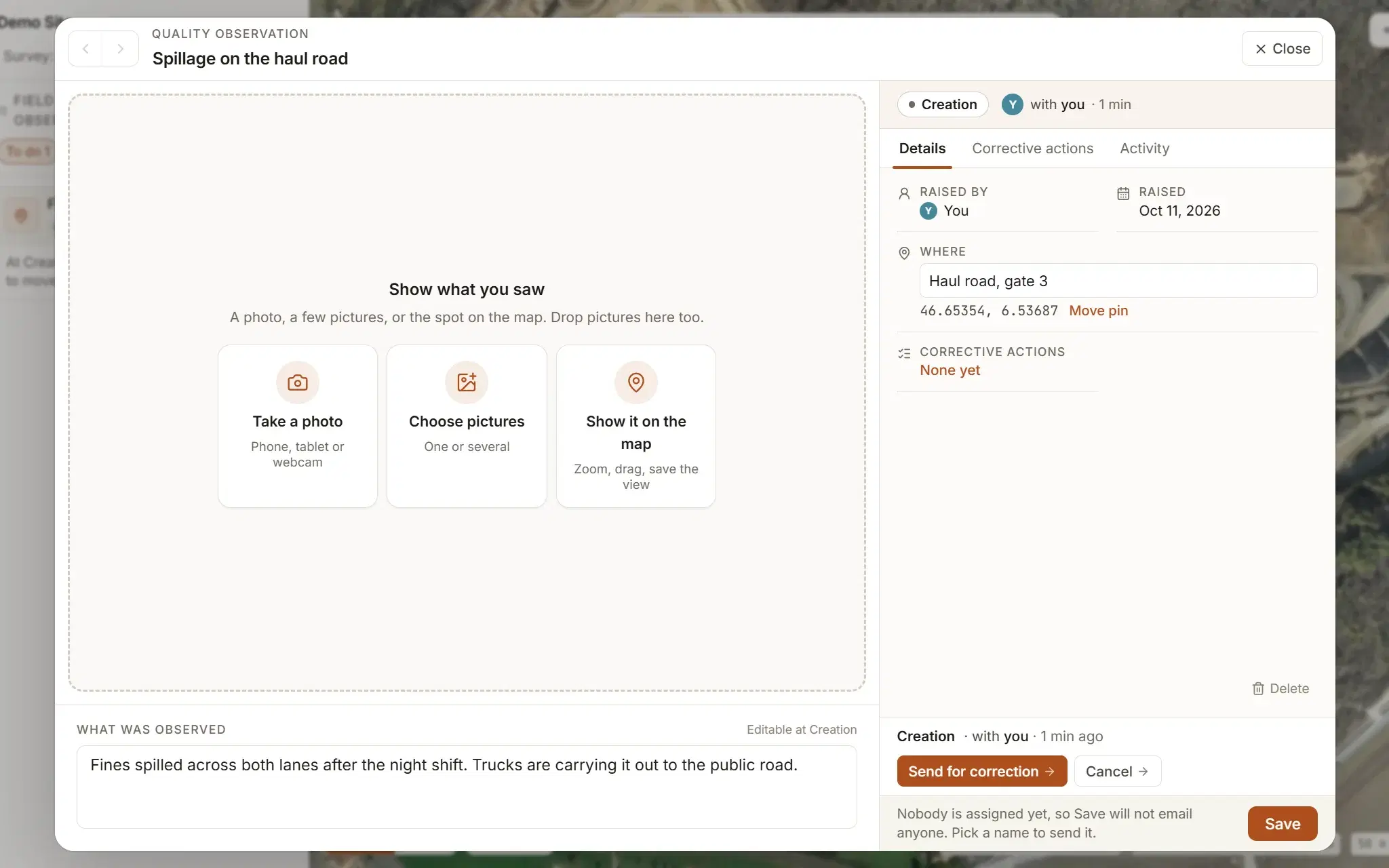
Three ways to show it
Several pictures at once, or the camera on site. Give it a title everyone will see in lists and emails, and name the place if it helps.
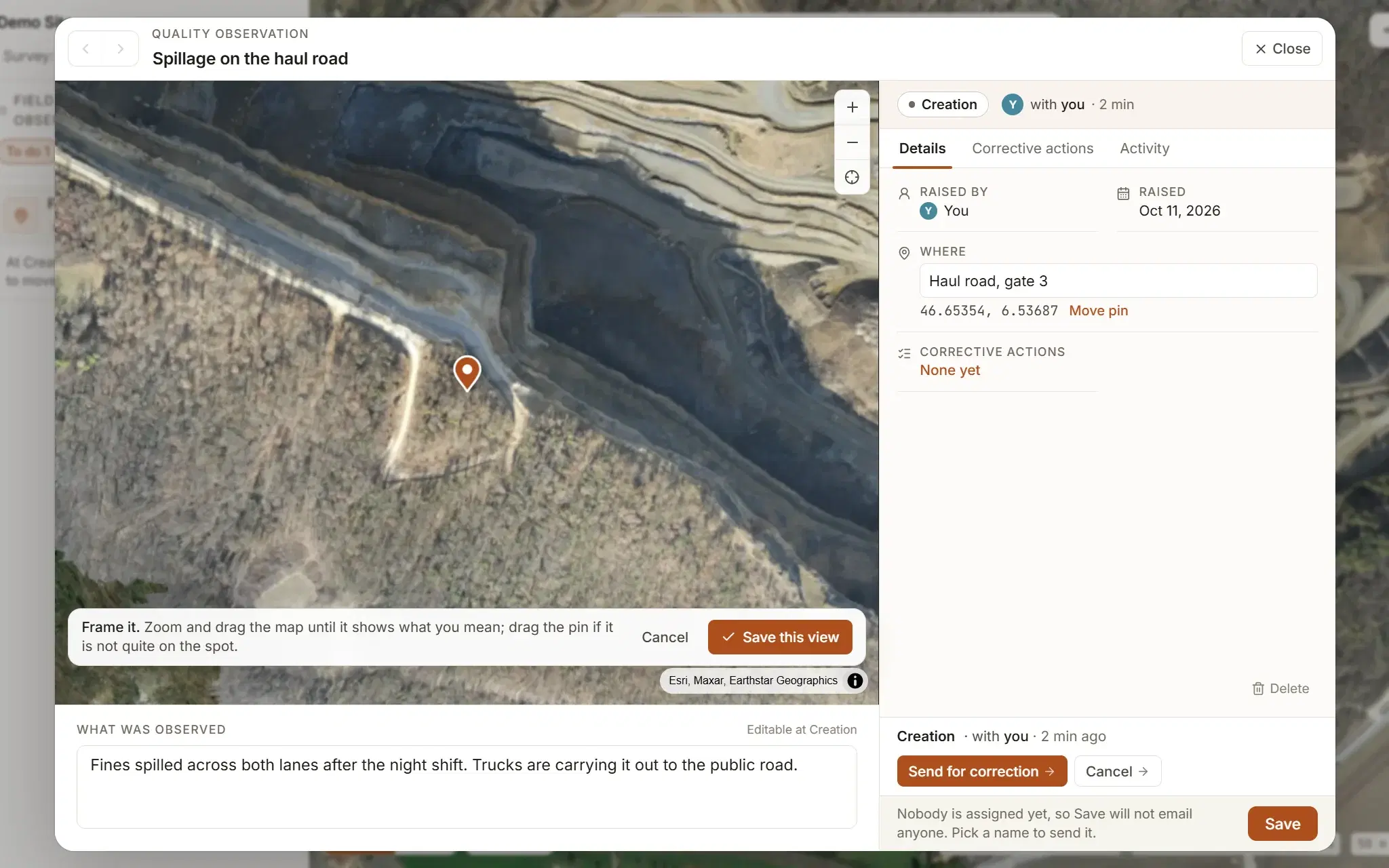
No photo? Frame it on the map
Zoom and drag until the map shows what you mean, drag the pin onto the spot, and save the view. More pictures can be added at any time.
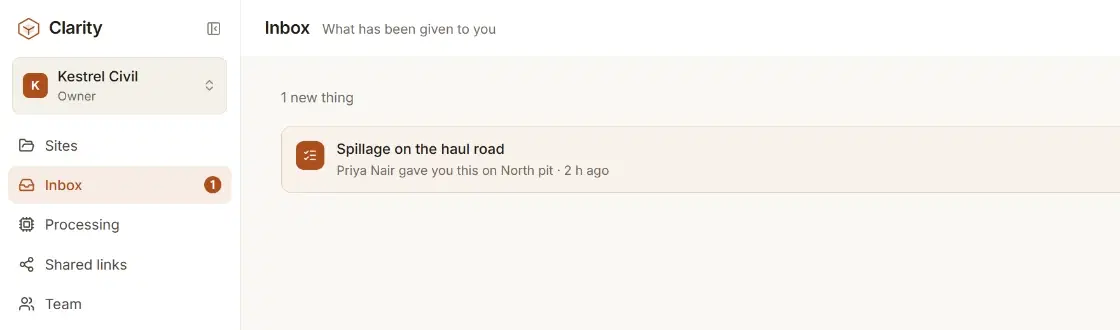
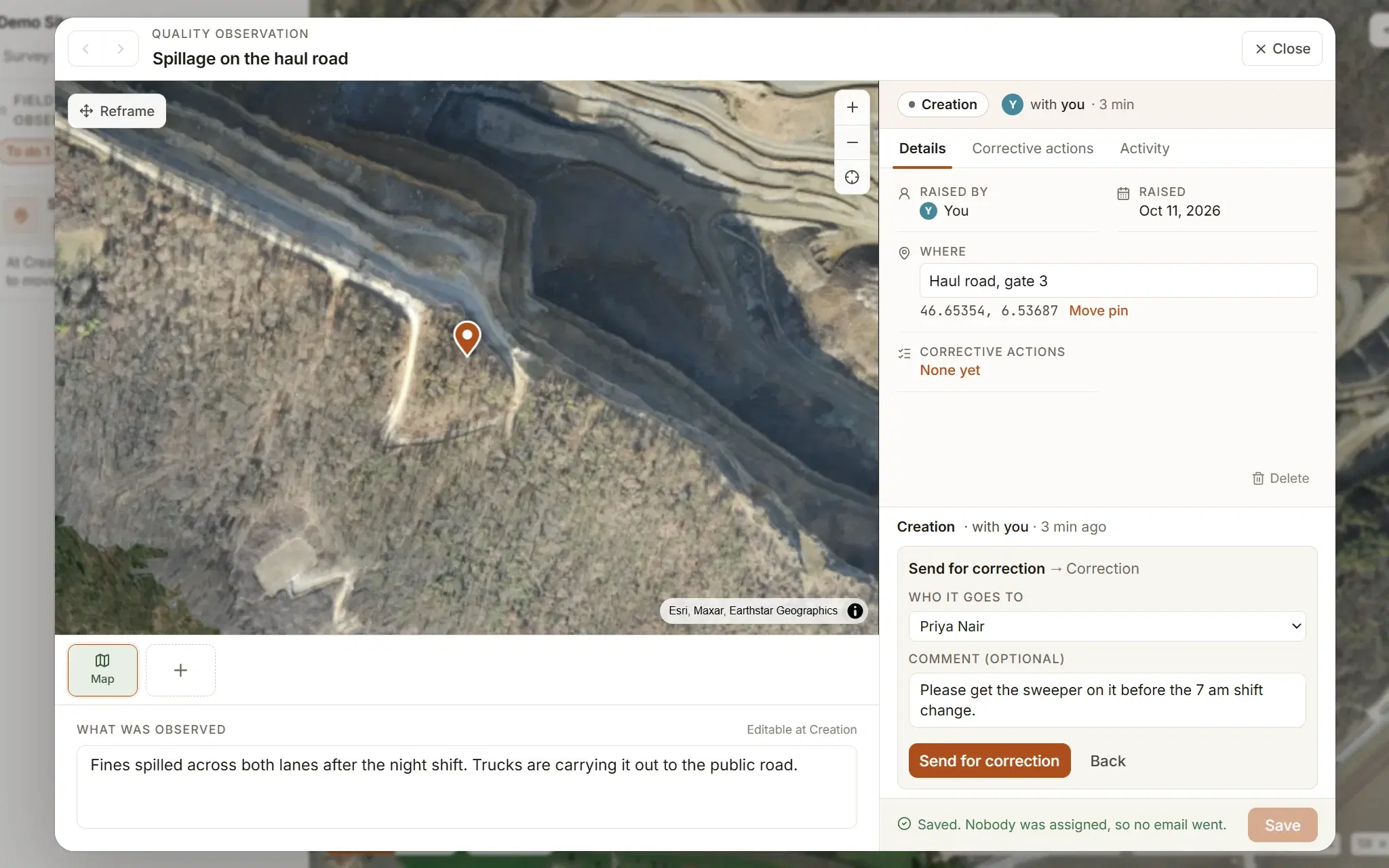
Hand it to the person putting it right.
Pick who it goes to and say why. They get one email naming the step, carrying your comment, with a link that opens straight onto the spot on the map, and it waits in their Inbox.
Corrective actions, with proof.
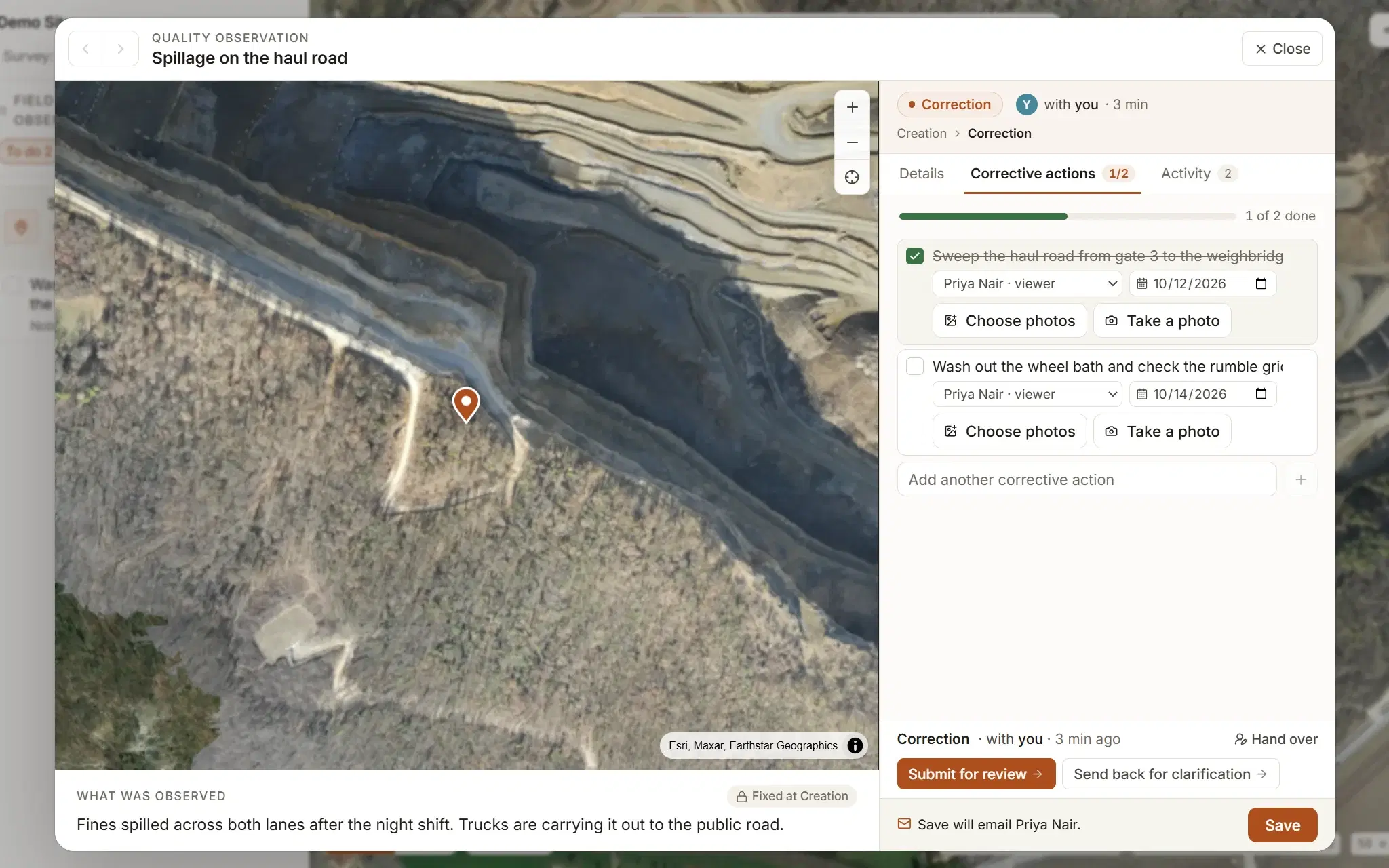
The observation says what is wrong. The corrective actions say what is being done about it.
- As many actions under it as the job needs, each with a person and a due date.
- Photos on every action, of what was found and of it done: several at once, or taken with the camera on site.
- Tick each one off as it is done. Past its date it is marked overdue, and Remind chases it with another email.
- Save says who it will email before it sends anything.
Reviewed, closed, and on the record.
When the work is done it goes back for review. The reviewer accepts and closes it, or sends it back for rework, and every step, comment and hand-over is kept in order with the name and the time.
- Where it is
- The step it is at and who has it, at the top of every observation.
- The buttons that step allows
- Only to the person allowed to press them. An administrator can always hand it on.
- Comments where they matter
- A send-back or a cancel asks why; anyone on the site can add a comment.
- A trail nobody rewrites
- Every move with the name, the time and what was said, under the observation.
- Reopened, not lost
- A closed observation can be reopened, with a reason, and goes back to the start.
- Same pins next month
- Observations belong to the site, so they are on every new flight of it.
Your steps, your arrows.
Draw the review process your company already uses, so the software follows the job rather than the other way round.
- Boxes are steps: where an observation waits, and who holds it there.
- Arrows are the buttons that move it on, and whether each one needs a comment.
- Publish, and new observations follow it; ones already under way finish on the version they started on.
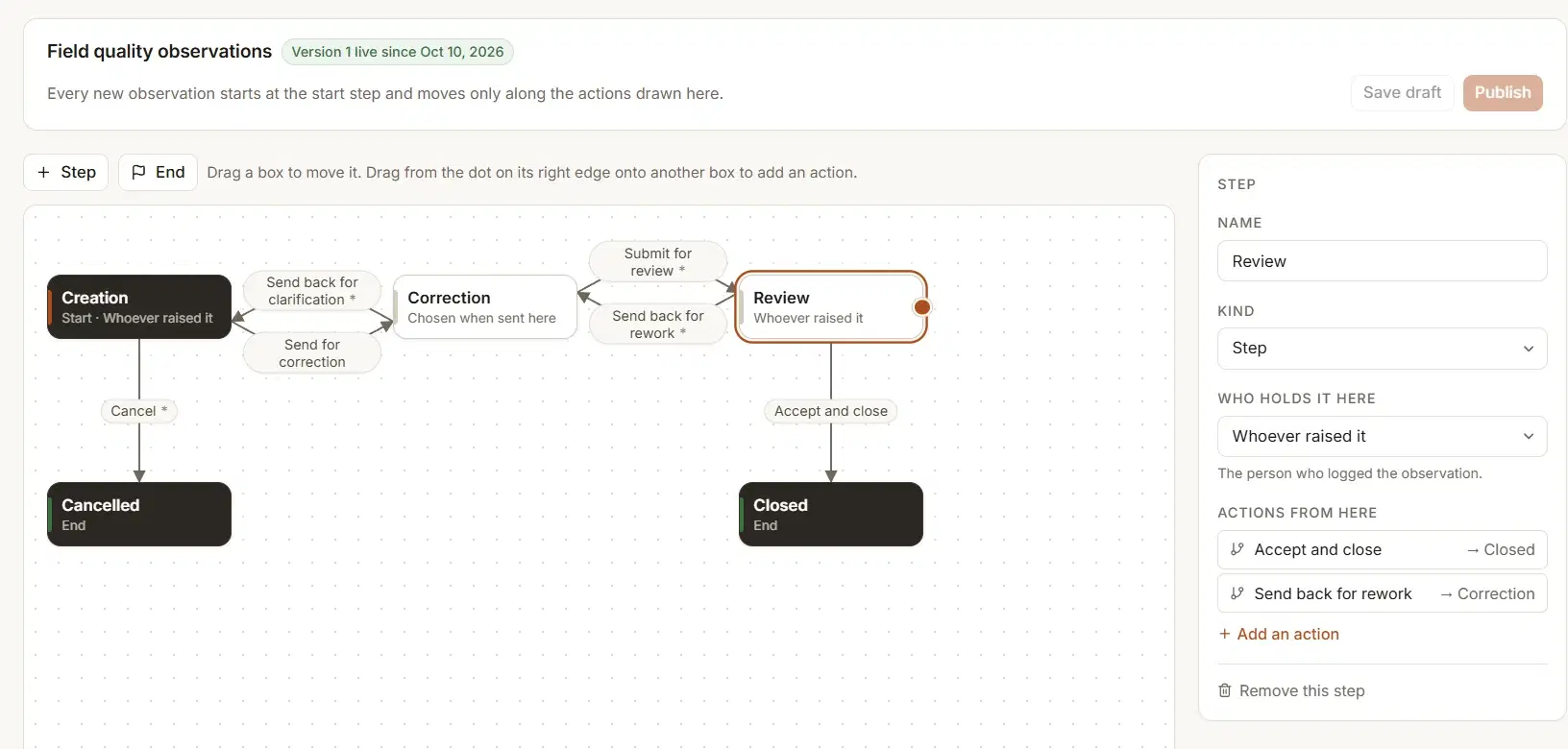
Every plan runs the ready-made workflow. Designing your own starts on Studio.
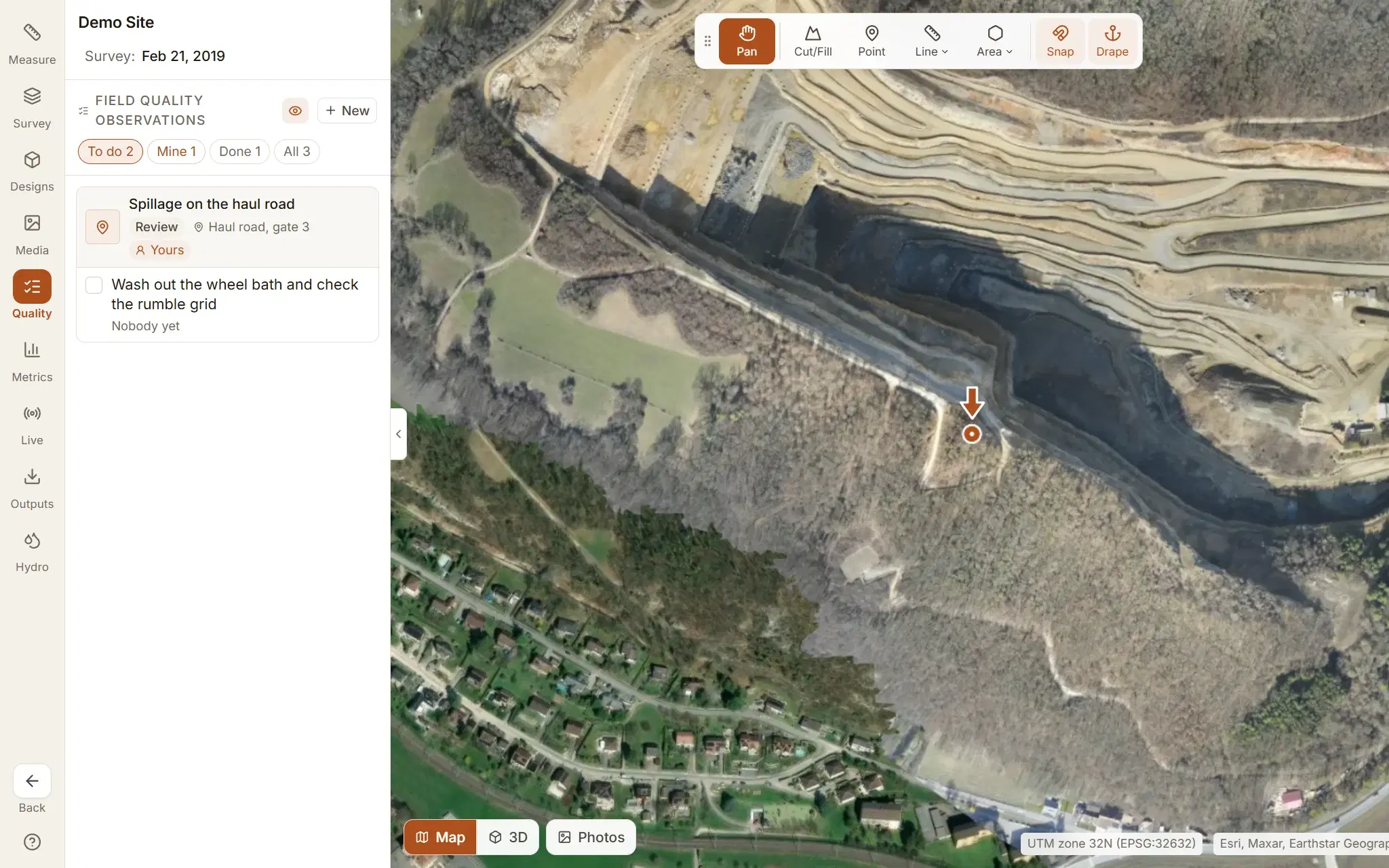
Every open item, on the map and on a list.
The punch list writes itself, and it is never more than one click from the place it is about.
- To do, Mine, Done and All, each observation with its step, its place and who has it.
- Pinned on the survey, with a switch to hide them when the map gets busy.
- Metrics count the same rows: what is open, what is overdue and who is holding what.
- The whole list leaves as an Excel workbook, open items first, with the formulas still live.
Found on a planned check? Raise it from there.
Quality surveillance is the planned check: scheduled, answered line by line against a checklist on site. An Unsatisfactory line becomes an observation in one click and is followed to closed like any other. How quality surveillance works.
Raise one on the demo quarry, free.
Every plan, the free one included, raises observations, corrective actions and surveillances on the ready-made workflow. Your own workflows and the Excel workbook start on Studio: see what each plan includes.