Live equipment tracking on your latest drone survey
Your telematics already knows where every machine is. Clarity draws those positions on the site as it was last flown, not on a street map that shows a field where the pit now is.
Connecting your own machines and people is part of Enterprise. Every plan has a demo fleet moving on the demo site.
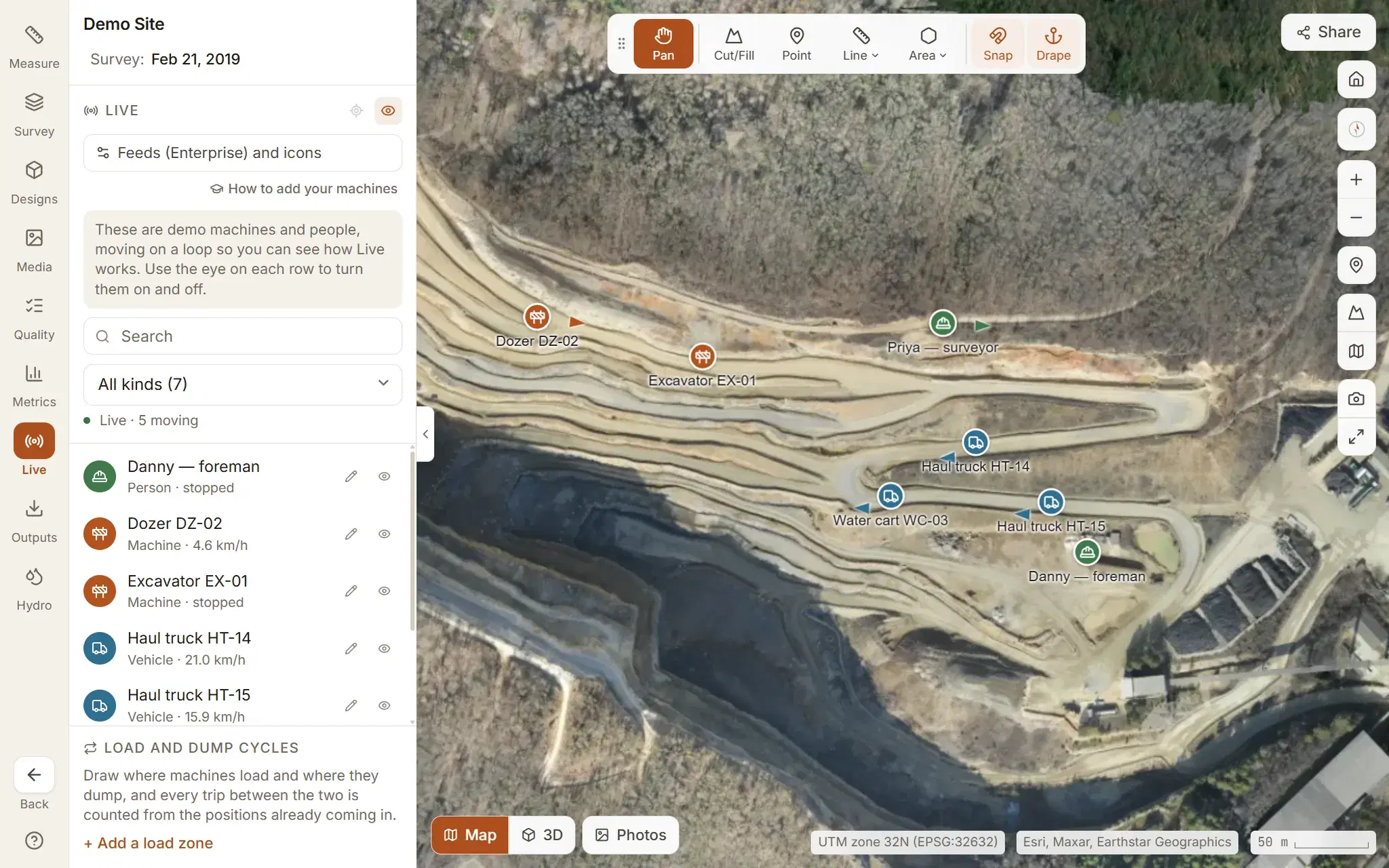
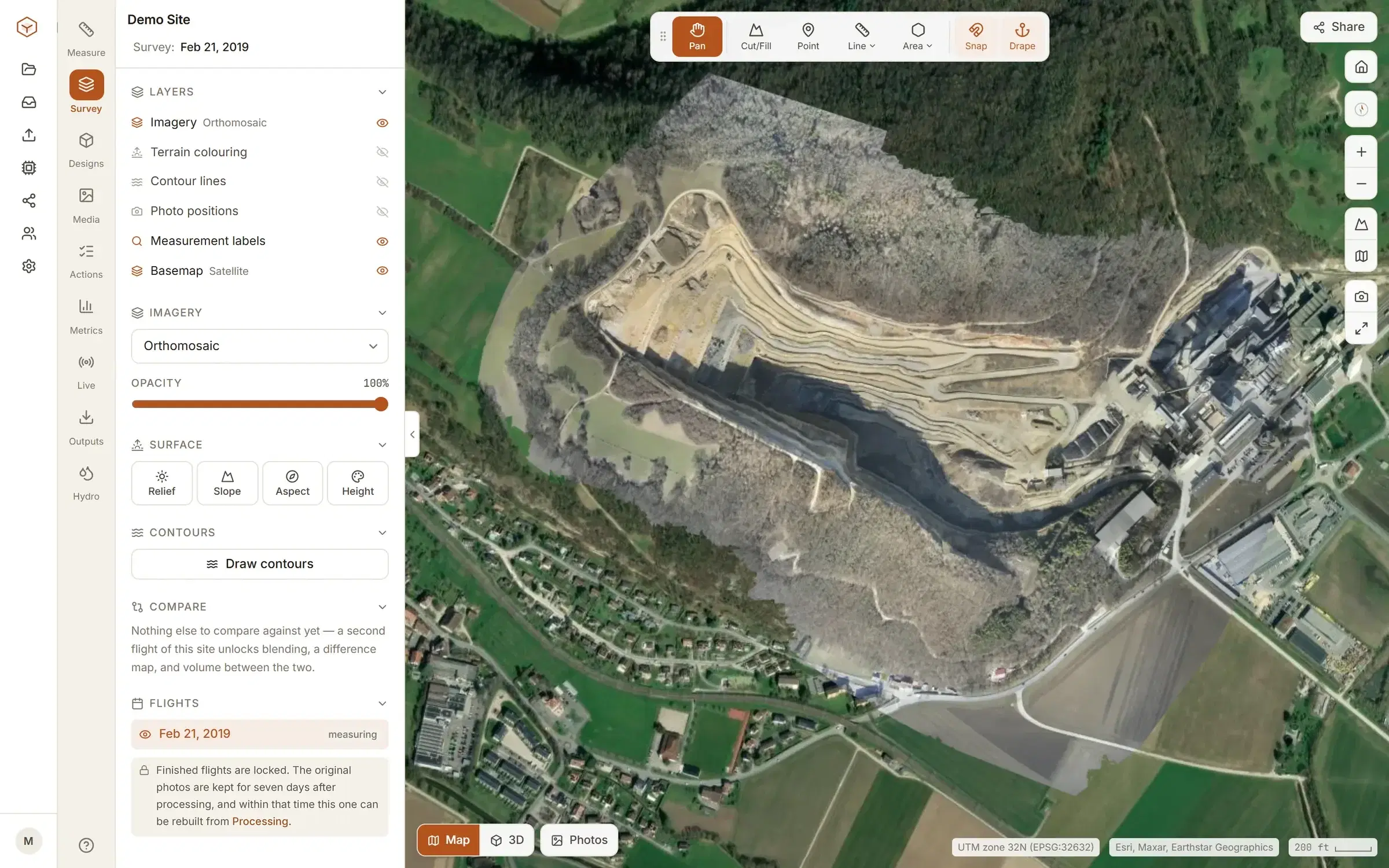
A street map shows a field where the pit is.
The dot can be exactly right and still tell you very little, because the picture under it was taken before the job started.
In Clarity, Live is a tab in the site’s viewer. The markers are drawn on the map you already measure on, over the orthomosaic of the flight you have open. Open the newest flight and the haul road, the cut and the stockpiles under them are the ones that were there the day you flew.
It is only as current as that flight. Fly the site again and the new flight becomes the ground they are drawn on; every flight of a site sits on one timeline.
The flight can be one we processed from your photos, or an orthomosaic you processed yourself. Where the flight stops, the basemap carries on.
What is drawn, and what it tells you.
One marker for each thing that reports a position, and a list beside the map that doubles as the legend. The measuring tools are a tab away on the same map: every tool.
Machines, vehicles and people
A feed can say what each thing is: a machine, a vehicle or a person. Each kind has its own icon and colour, and you can change both. The name sits under the marker.
Moving, stopped or off the air
A moving machine is listed with its speed, in km/h or mph to match the site, and its marker carries an arrow when the feed reports a heading. Once its last position is more than ten minutes old it is faded, and listed with when it was last seen.
The last hour's trail
Select one and the path it took over the last hour is drawn behind it.
Follow
Keep the map centred on the one you selected as its position updates.
Your names for them
A surveyor or an admin can rename anything in the list, and the name stays whatever the feed calls it. They can also hide the ones nobody needs on the map.
Search and filter
Find one by name, id or status, narrow the list to one kind, and click a row to go to it. The list counts how many are moving and how many are off the air.
Read the positions from the database you already run.
When a telematics or fleet system already writes positions to a table, Clarity reads them from there on a schedule: a Databricks SQL warehouse, PostgreSQL, SQL Server or MySQL.
Setting up a feed is a form and a query.
- A SELECT that returns one row per position. Four columns are needed: an id, a latitude, a longitude and a time. Name, kind, speed, heading and status are optional.
- If your columns are called something else, name them in the form. Speed can be in metres per second, km/h, mph or knots.
- An interval for each feed, up to an hour. Clarity runs the feeds that are due every 15 seconds, so that is the quickest any of them refreshes.
- A Test button that runs the query once and shows what came back: how many positions, how long it took, the columns, the first few rows, and how many rows it skipped for a missing id, position or time.
Returning the last hour every time is fine: a position Clarity has already seen is ignored. Each feed shows when it last ran and, when a run fails, the error that came back. A feed can be paused without deleting it.
Two things to settle with whoever looks after the database. It has to be reachable from the internet, and a read-only login is enough. The connection is encrypted unless you switch that off, and the password or token is stored encrypted and never sent back to the browser. How organisations are kept apart.
Or have the devices send them.
For trackers, gateways and anything else that can post JSON to a URL. Both ways in can feed the same site at once.
One key per feed
Create a push feed and Clarity issues it an API key. The key is shown once and stored as a hash, so it cannot be read back out. Issue a new one and the old one stops working.
A JSON POST
One position, an array of them, or an object with a positions list. Each needs an id, a latitude and a longitude. Time, name, kind, speed, heading and status are optional; with no time, the moment it arrived is used.
What is turned away
A request can carry up to 5,000 positions and 1 MB. A position with coordinates out of range, or a time more than ten minutes ahead of the clock, is rejected, and the reply says how many were refused and why.
The key decides which organisation and which site the positions belong to, and nothing in the payload can point them anywhere else. Each new key is written to the organisation’s activity log. Traccar’s forward format is accepted as it is.
What Live does not do.
Better read here than found out after you have asked for it. Live answers one question: where things are now. The rest of Clarity is the survey they are standing on.
- It is not a tracker
- Clarity fits nothing to a machine and works out nobody's position. It draws what your own systems report. A person is on the map only if your feed sends them.
- It is not instant
- A polled feed is as fresh as its last run, and never fresher than the table it reads. The open map takes each new position as it is saved, and re-reads the list every 20 seconds in case it missed one.
- It is not a replay
- The trail is the last hour. There is no playback of yesterday's shift, and no report of hours worked or time spent idle.
- One site per machine
- A machine belongs to the site whose feed first reported it. Clarity does not sort machines by where they are, so write each site's query for that site.
- Not in share links
- A share link opens one flight, read-only, and Live is not part of it. A link sent to a client does not show where your people are.
- An administrator connects it
- A feed reaches into a database or issues a key, so only an administrator can add or change one. Everyone else on the site sees what it reports. Connecting your own is part of Enterprise.
Watch a fleet move on the demo quarry first.
Every plan, the free one included, has a demo fleet moving on the demo site. Connecting your own machines and people is Enterprise, priced with us directly.